

By: Ali Raza
Running a field service business means juggling a lot at once. You’re answering calls, quoting jobs, sending technicians out, tracking who’s where, and trying to get paid on time. When any one of these steps breaks down, the whole day gets harder.
A customer waits too long for a callback. A technician shows up without the right parts. An invoice sits unsent for two weeks. Each small gap costs you money and makes your business look less professional.
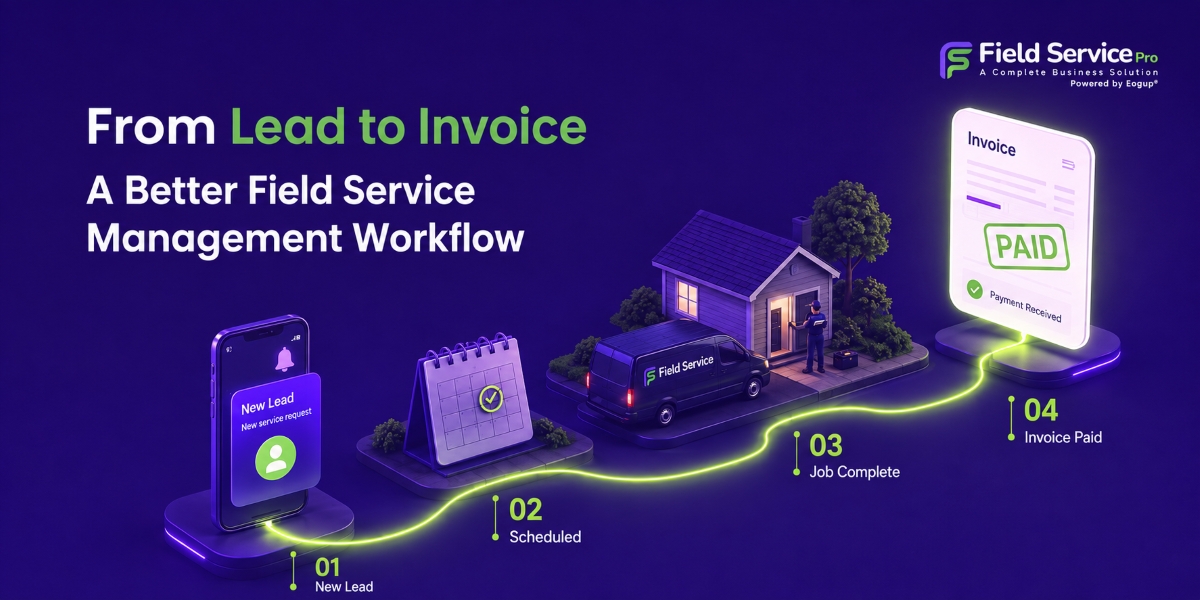
The good news is that these problems are fixable. The right field service software connects every step of your work into one smooth path, from the first phone call all the way to the final payment.
Instead of information getting lost between your office and your field crew, everything moves forward automatically. In this article, we’ll walk through what a better workflow looks like, stage by stage, so you can see exactly where the right tools save you time and help you earn more.
Why the Old Way of Managing Field Service Business Holds You Back
Many field service businesses still run on a mix of paper forms, whiteboards, text messages, and spreadsheets. This works when you have one or two technicians. But as you grow, the cracks start to show.
A customer calls for an emergency repair. The office writes the details on a sticky note. That note gets handed to a dispatcher, who calls a technician, who scribbles the address on a scrap of paper. The technician finishes the job, writes up the materials by hand, and drops the paperwork on someone’s desk days later. By the time an invoice goes out, the details are fuzzy and the customer has half-forgotten the visit.
Every handoff in that story is a chance for something to go wrong. Information gets copied by hand over and over. Mistakes creep in. Time gets wasted. And the longer it takes to send an invoice, the longer you wait to get paid. A connected field service software platform removes those weak points by keeping all your information in one place, where it flows from one step to the next without being re-entered.
Let’s look at how that works, one stage at a time.
Stage 1: Capturing the Lead
Every job starts with an inquiry. It might be a phone call, a form on your website, or a referral from a happy customer. The truth is that most field service businesses struggle with what happens next. Notes get lost. Callbacks slip through the cracks. The customer hires whoever calls them back first, and too often that’s your competitor.
A good field service platform captures every incoming lead in one spot. You can tag each one by service type and how urgent it is, so your office team knows what to handle first. When lead details land directly in your system, nobody has to re-type them later, and nothing gets forgotten.
This single, reliable record becomes the foundation for everything that follows. Respond quickly and look organized, and you’ll win more of the jobs that come your way.
Stage 2: Quoting and Winning the Work
Once you’ve talked to a customer and understand what they need, speed and professionalism win the job. Digital estimates let your team build a clear quote, listing labor, parts, and pricing, either on-site or back at the office.
A clean, professional quote makes you look far more trustworthy than a handwritten number on a notepad, and you can deliver it faster than competitors who are still doing it the old way.
The real advantage comes when an approved quote turns into scheduled work with a single click. Customer details, service notes, and pricing all carry forward on their own.
There’s no typing the same information twice, and no risk of a transcription error creeping in. The quote you won becomes the job you’re about to do, with zero extra effort.
Stage 3: Smarter Job Scheduling
This is where good software really proves its worth. Strong job scheduling means matching the right technician to the right job at the right time. It takes into account who’s available, who has the right skills, where they are, and what appointment window the customer expects. Get this right and your whole operation runs smoother.
Instead of a whiteboard or a shared spreadsheet that’s always out of date, you get a visual calendar showing your entire team’s day in one view.
Just drag and drop the appointment to a new slot. Automatic reminders go out to customers, which cuts down on no-shows, one of the biggest hidden costs in field service. And when someone cancels, you can fill that open slot quickly instead of losing billable hours.
Better job scheduling means your team completes more jobs each day without feeling rushed or overworked. You fit more work into the same hours, and your technicians spend less time driving in circles and more time doing the work that pays.
Stage 4: Efficient Dispatch Management
Scheduling decides who goes and when. Dispatch management makes sure it actually happens the way you planned. Good field service dispatching keeps your office and your field crew in sync as things change.
With mobile access, technicians get their job details, customer history, and directions sent straight to their phones. No more calling the office to ask for an address or wondering what the customer needs.
Dispatchers can see where everyone is, reroute a technician for an urgent call, and send updates instantly. If a job runs over or a new emergency pops up, you can reassign the work on the spot instead of scrambling.
As a result, the payoff is – fewer trucks sitting idle, faster response times, and customers who aren’t left staring out the window wondering when someone will finally show up. Smooth dispatch management is often the difference between a chaotic day and a productive one.
Stage 5: Getting the Job Done in the Field
Out on the job, your technicians need tools that keep up with them. Field service mobile app lets them snap photos, record the parts they used, collect a customer signature, and mark the job complete, all before they pull out of the driveway.
This on-site record does two jobs at once.
- First, it creates a clear history for the customer, which helps with future visits and settles any questions about what was done.
- Second, it feeds straight into your billing. When a technician logs the hours and materials right there in the field, that information is ready to become an invoice the moment the job wraps up.
No paperwork to chase down later, no trying to remember what happened three days ago.
Stage 6: Fast, Accurate Invoicing
This is the stage where far too many businesses lose money. The longer the gap between finishing a job and sending the bill, the longer you wait to get paid, and the more likely it is that details get forgotten or disputed. A pile of un-sent invoices is basically money sitting on the table.
Because every earlier stage fed clean information into your system, invoicing becomes almost automatic. The labor, parts, and service notes are already there, ready to fill in the invoice.
You can send the bill before your technician has even left the customer’s property. Add built-in payment options, and customers can pay on the spot or online, which shrinks your collection time from weeks down to days.
Getting paid faster isn’t a small thing. Better cash flow means you can cover payroll, buy parts, and invest in growth without stress. Fast, accurate invoicing turns finished work into money in the bank as quickly as possible.
Why the Connected Workflow Matters for Field Service Businesses
The power isn’t in any single feature. It’s in how all the pieces connect. When lead capture, quoting, job scheduling, dispatch management, fieldwork, and invoicing all live in one field service software platform, your information moves forward on its own instead of being copied by hand at every step.
Think about what that connection removes. No more re-typing the same customer details 5 times. No more lost notes. No more invoices that sit forgotten for weeks. Fewer mistakes, less time spent on office busywork, faster payments, and a smoother experience for your customers from start to finish. Each stage hands off cleanly to the next, and the whole business runs with less friction.
For a small or growing field service business, that connected workflow is the difference between constantly chasing paperwork and actually being able to grow. When your systems handle the busywork, you and your team are free to focus on doing great work and taking care of customers.
Bringing It All Together with FieldServicePro
FieldServicePro brings every stage of this journey into one easy-to-use platform. From the moment a lead comes in to the second an invoice is paid, everything stays connected. Your office team spends less time on data entry, your technicians spend less time on paperwork, and your customers get faster, more professional service. And with straightforward, transparent field service pricing, you always know what you’re paying for.
You don’t need to be a tech expert to use it, and you don’t need to piece together a dozen different tools. It’s built for real field service businesses that want to work smarter, get paid faster, and grow with confidence. From the first lead to the final invoice, FieldServicePro keeps your whole workflow running as one.